Traveloka Extranet: How Can Hotels Manage Bookings?
Running a hotel involves more than welcoming guests. Owners must manage room prices, update availability, track reservations, and keep property information accurate. These tasks become harder when staff handle bookings across several channels. The traveloka extranet offers accommodation partners a central way to manage important property information and booking activities. Understanding its features, registration process, and daily uses can help hotel teams reduce mistakes, improve operations, and deliver a better guest experience.
Table of Contents
1. What Is Traveloka Extranet?
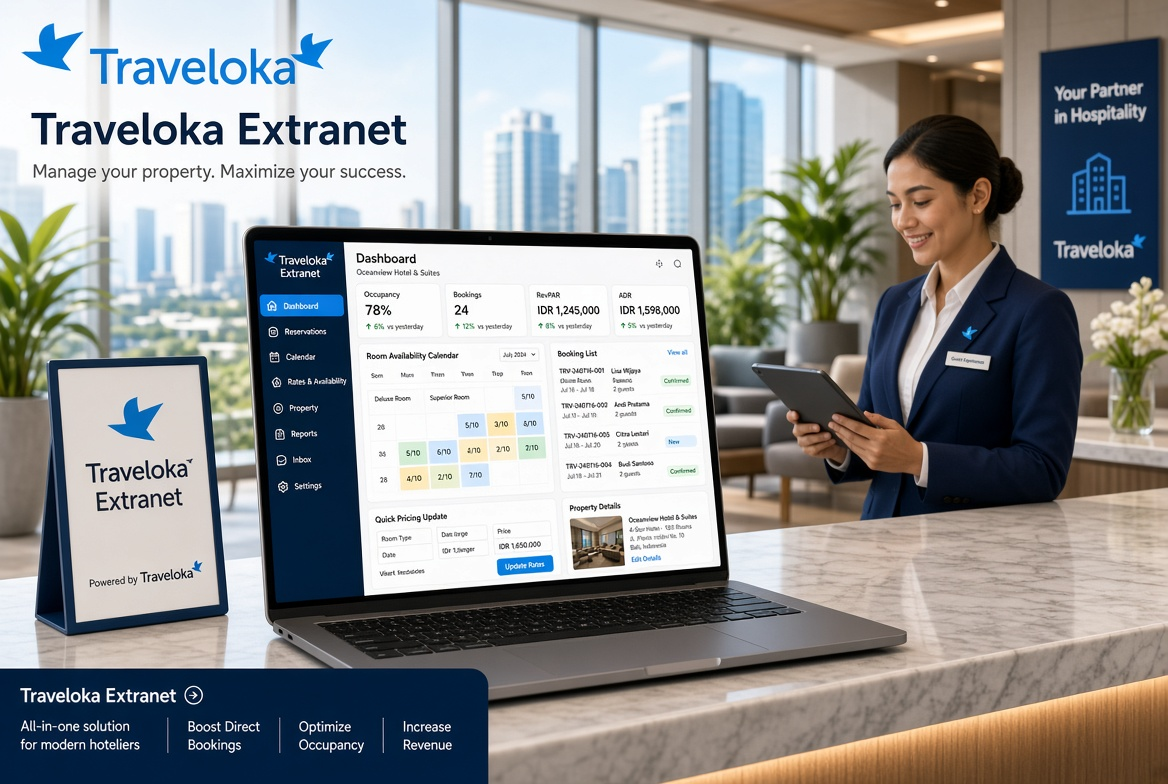
The Traveloka Extranet is the partner-facing system used by accommodation providers to manage their properties on Traveloka. Its property management platform, known as TERA by Traveloka, supports tasks such as maintaining room information, managing rates and availability, and monitoring reservations.
Traveloka serves travelers looking for hotels and other accommodation options. Through its partner platform, eligible property owners can present their accommodation to potential guests and manage essential listing details.
The system is designed for different types of accommodation businesses, including:
- Hotels and resorts
- Hostels and guesthouses
- Villas and holiday homes
- Apartments and serviced apartments
- Homestays and bed-and-breakfast properties
- Campsites and selected alternative accommodation types
Available features can vary by property, account, market, and partnership arrangement. Always check the options shown in your own partner account.
2. How Does the Traveloka Extranet Work?
The platform connects an accommodation provider’s property information with its listing and booking operations on Traveloka. After registration and the required verification, a partner can use the available tools to maintain property details and handle reservations.
The general process works as follows:
- Register your property: Submit your accommodation details through the official partner registration process.
- Complete verification: Provide the requested information and respond to questions from Traveloka’s team.
- Set up your listing: Add room types, facilities, photographs, policies, and other required details.
- Manage rates and availability: Maintain the dates, room inventory, and prices available for sale.
- Monitor reservations: Review booking details and follow the property’s required confirmation and service procedures.
- Maintain accurate information: Update relevant details whenever room features, prices, or policies change.
These steps describe the general onboarding and management process. The exact workflow depends on Traveloka’s instructions for your property.
3. How to Register for Traveloka Extranet
Property owners can start through Traveloka’s official TERA registration page:
Official registration: https://tera.traveloka.com/partner/
Follow these steps to begin.
Step 1: Open the Official Website
Visit the TERA partner page and select the option to list your property. Check that the website address belongs to Traveloka before entering business information.
Step 2: Create Your Partner Account
Follow the registration instructions to create an account. Use a business email address that authorized staff can access and keep your login details secure.
Step 3: Enter Your Property Information
Prepare accurate details about your accommodation, including:
- Property name and complete address
- Accommodation type and contact information
- Available room categories
- Facilities and guest services
- Room rates and availability
- Property photographs and relevant policies
Provide only information requested by the official registration process.
Step 4: Submit the Required Documents
Traveloka may request identity documents, business information, financial records, or licenses, depending on the property type and applicable requirements. Check the current document list directly with Traveloka rather than relying on an unofficial checklist.
Step 5: Complete the Review Process
According to Traveloka’s official partner information, its team may contact applicants to validate property details and discuss room rates and availability. Respond promptly if the team requests clarification.
Step 6: Finish Your Property Setup
Once your application progresses, follow the instructions provided for listing configuration, rates, inventory, and any remaining onboarding requirements.
Important: Submitting an application does not automatically mean that your property is approved or immediately bookable. Wait for confirmation and follow the instructions provided by Traveloka.
4. Main Features of the Traveloka Extranet
The tools available to accommodation partners help organize several important parts of property management.
| Feature | Main purpose | Why it matters |
| Property information | Maintain property details and descriptions | Helps guests understand what the accommodation offers |
| Room management | Organize room categories and room information | Makes room options easier to maintain |
| Rate management | Maintain applicable room prices | Helps keep displayed prices accurate |
| Availability management | Update room inventory for available dates | Reduces the risk of selling unavailable rooms |
| Reservation management | Review booking details and relevant status information | Helps staff prepare for arriving guests |
| Booking notifications | Receive relevant booking updates where supported | Helps teams respond promptly |
| Promotions | Access eligible promotional programs | May help attract additional customer interest |
| Reporting and analytics | Review available business insights | Can support better pricing and operational decisions |
| Channel manager integration | Connect supported external inventory systems | Can reduce repetitive updates across connected channels |
Not every feature is available to every partner. Check your account and partnership terms for the tools enabled for your property.
5. How to Manage Hotel Room Rates
Room pricing affects both occupancy and revenue. A price that is too high may reduce demand, while a price that is too low may leave money on the table.
Use the rate management tools available in your account to maintain prices that fit your business strategy.
Consider Demand and Seasonality
Travel demand can change during public holidays, festivals, school vacations, major events, and peak tourist seasons. Review expected demand before adjusting prices.
Compare Similar Properties
Look at comparable accommodation in your area. Consider location, room quality, facilities, guest reviews, and cancellation terms rather than comparing prices alone.
Check Every Room Category
A standard room, family room, suite, and premium room may need different prices. Confirm that each room type has the correct rate plan and occupancy rules.
Review Discounts Carefully
Before activating a promotion, calculate the expected revenue after applicable discounts, commissions, taxes, and other costs. Confirm the promotion’s conditions before publishing it.
Example of a Simple Pricing Plan
| Period | Example room rate | Possible strategy |
| Quiet weekdays | $45 | Encourage bookings with competitive pricing |
| Regular weekends | $55 | Reflect stronger leisure demand |
| Peak event dates | $75 | Adjust for higher expected demand |
| Low-demand special offer | $40 | Test a limited promotion if profitable |
These prices are illustrative examples, not Traveloka rates or market recommendations. Actual prices should reflect local demand, operating costs, and your property’s financial goals.
6. How to Update Room Availability
Accurate inventory is essential to smooth hotel operations. If your property sells a room elsewhere but its availability remains unchanged on Traveloka, you could receive a booking that your team cannot accommodate.
To reduce this risk:
- Review the room calendar regularly.
- Update inventory when rooms become unavailable.
- Check blocked dates, maintenance periods, and group reservations.
- Confirm that room categories match the inventory your staff can actually sell.
- Check connected channel managers, if used, to understand which system controls availability.
- Review unusual inventory changes and resolve discrepancies promptly.
If your property uses several booking channels, establish a clear process for updating availability. Do not assume that every external reservation will automatically update every system.
7. How to Manage Reservations Through Traveloka Extranet
Reservation management helps staff prepare for guests, coordinate room assignments, and identify issues before arrival.
When a booking appears in your account, review the information available to your property, such as:
- Reservation reference and booking status
- Arrival and departure dates
- Room type and number of rooms
- Guest count and applicable occupancy rules
- Payment or collection information, where displayed
- Special requests and relevant booking conditions
Use the confirmed reservation details to plan housekeeping, reception, and room allocation.
Confirm Reservations Correctly
Follow the booking workflow and confirmation requirements shown in your account. Avoid assuming that all reservations use the same payment or confirmation process.
Handle Changes and Cancellations Carefully
Check the current booking status and applicable terms before making operational changes. If a reservation requires action from Traveloka, use the designated support process.
Prepare for Guest Arrival
Share relevant booking information with authorized staff. Keep guest data private and limit access to employees who need it for their duties.
8. How to Improve Your Traveloka Property Listing
A complete and accurate listing helps travelers understand your property before booking. It can also reduce confusion about facilities, room types, and hotel policies.
Write a Clear Property Description
Explain what makes the property useful for its target guests. Mention relevant features such as location, transport access, family facilities, workspace, breakfast options, or nearby attractions when accurate.
Avoid unsupported claims such as guaranteed luxury, perfect service, or the lowest price in the city.
Upload High-Quality Photographs
Use clear photographs that represent the actual property. Include useful views of bedrooms, bathrooms, reception areas, dining spaces, and other important facilities.
Ensure the images match the room categories they represent.
Keep Amenities Accurate
Mark facilities as available only when the property actually provides them. If parking, breakfast, Wi-Fi, or airport transfers have conditions or extra charges, explain those conditions correctly.
Maintain Consistent Policies
Review check-in times, check-out times, child policies, extra-bed conditions, pet rules, and cancellation terms. Clear policies help guests make informed choices.
Update Changes Promptly
If you renovate a room, remove a facility, change contact details, or modify a service, update the relevant listing information as soon as possible.
9. How to Use Promotions and Marketing Opportunities
Traveloka’s partner platform describes promotional programs and marketing support among the potential benefits available to accommodation partners. The exact opportunities depend on eligibility and current program terms.
Before joining a promotion, evaluate the expected results.
- Set a clear goal: Decide whether you want more weekday bookings, better occupancy, or greater demand during a particular period.
- Check profitability: Calculate the remaining revenue after discounts and applicable costs.
- Choose suitable dates: Focus on periods when additional bookings could help your business.
- Review restrictions: Understand eligibility, campaign duration, and any conditions before participating.
- Measure results: Compare bookings, occupancy, and revenue before and after the campaign when reliable data is available.
More bookings do not always mean more profit. Evaluate the quality and financial value of the bookings, not just their total number.
10. Can Traveloka Extranet Connect With a Channel Manager?
A channel manager is a system that helps accommodation businesses distribute room rates and availability across several online booking platforms.
Traveloka states that TERA integrates with various channel managers. However, compatibility and available functions depend on the integration and your property’s configuration.
A supported connection may help you:
- Update inventory across connected booking channels.
- Reduce manual entry of room availability.
- Keep rate information more consistent.
- Lower the chance of conflicting reservations.
- Organize distribution from a central system.
Before connecting a channel manager, confirm that it supports Traveloka and your specific property setup. Ask which system controls rates, inventory, restrictions, and booking updates.
After setup, test the connection with the guidance provided by your software provider. Check that changes reach the expected channels before relying on automation for daily operations.
11. Common Traveloka Extranet Problems and Solutions
Partners may occasionally encounter login problems, missing reservations, incorrect rates, or inventory differences. A careful troubleshooting process can help identify the cause.
| Problem | Possible cause | Recommended action |
| Unable to log in | Incorrect credentials or account access issue | Check your details and use the official account recovery process |
| Property is not visible | Registration or listing setup is incomplete | Review your onboarding status and contact partner support |
| Incorrect room price | Outdated rate or rate-plan configuration | Review the applicable dates, room type, and pricing settings |
| Room appears unavailable | Inventory is closed, exhausted, or not synchronized | Check the calendar and any connected channel manager |
| Reservation details seem incorrect | Booking update or status mismatch | Verify the latest reservation information in the official system |
| Promotion is not visible | Eligibility or campaign conditions are not met | Review the campaign terms and your account settings |
| Channel manager is not syncing | Integration configuration or technical issue | Check the connection status and contact the relevant support team |
Avoid creating duplicate reservations or making repeated changes while investigating an issue. First establish which system contains the latest confirmed information.
12. Security Tips for Hotel Partners
Account security protects business operations and guest information. Every staff member who uses the partner platform should follow basic security practices.
- Use a strong, unique password for your account.
- Keep login details private.
- Restrict access to authorized employees.
- Remove access when an employee no longer needs it.
- Verify website addresses before signing in.
- Be cautious of messages requesting passwords or sensitive business documents through unofficial channels.
- Follow applicable privacy and data-protection requirements.
- Contact official support if you suspect unauthorized access.
If a device is shared by reception staff, follow your organization’s procedures for signing out and protecting stored credentials.
13. Best Practices for Daily Property Management
A simple daily routine can prevent small mistakes from becoming expensive problems.
At the start of each shift:
- Review new reservations and relevant notifications.
- Check arrivals, departures, and special requests.
- Verify room inventory for important upcoming dates.
- Review rate or availability changes that need attention.
During the day:
- Update the system when inventory changes.
- Coordinate reservations with reception and housekeeping.
- Respond to operational issues using the appropriate support channel.
- Keep property information and policies accurate.
At the end of the day:
- Reconcile reservation information with your internal records.
- Check for unresolved booking or synchronization issues.
- Confirm that the next day’s room inventory is correct.
- Share outstanding tasks with the next shift.
The best routine is one that your team can follow consistently, even during busy periods.
14. Who Should Use Traveloka Extranet?
The platform is relevant to accommodation businesses that want to distribute rooms through Traveloka and manage the associated property information.
Hotel owners can use the partner system to maintain listings, room rates, and availability.
Property managers can organize booking-related tasks and keep operational information up to date.
Reception teams can use authorized account access to review relevant reservations and prepare for arrivals.
Villa and apartment operators may register eligible properties through Traveloka’s accommodation partner program.
Hospitality groups can explore property management options suited to their operations, including supported integrations where appropriate.
Before applying, confirm that your property type is eligible and that the available partner features match your business requirements.
15. Frequently Asked Questions About Traveloka Extranet
1. What is the Traveloka Extranet used for?
It is a partner-facing system for managing accommodation information and booking operations. Through TERA, eligible partners can maintain property details, room rates, availability, and reservation information using the features available to their accounts.
2. How do I register for Traveloka Extranet?
Visit https://tera.traveloka.com/partner/, start the property registration process, and submit the requested information. Traveloka may contact you to validate your details and complete the onboarding process.
3. Is Traveloka Extranet free to join?
Traveloka’s official TERA partner page states that there is no additional fee for registering a property. However, commercial terms, commissions, promotional costs, or other charges may apply under your agreement, so confirm the details directly with Traveloka.
4. Can I manage room prices and availability through TERA?
Yes. Traveloka describes TERA as a property management tool that supports room information, rates, and availability management. The exact controls depend on your account and property configuration.
5. Can villas and apartments register on Traveloka?
Yes. Traveloka’s accommodation partner program accepts several property types, including eligible villas, apartments, homestays, hotels, and guesthouses. Review the official registration requirements to confirm eligibility for your property.
6. What should I do if I cannot access my account?
Check that you are using the official website and correct login details. Follow the account recovery instructions or contact Traveloka’s official partner support team if the problem continues.
Conclusion: Make Hotel Operations Easier With Traveloka Extranet
Managing room inventory, pricing, reservations, and property information requires attention to detail. The traveloka extranet, through TERA, gives eligible accommodation partners tools to organize these tasks and maintain their presence on Traveloka.